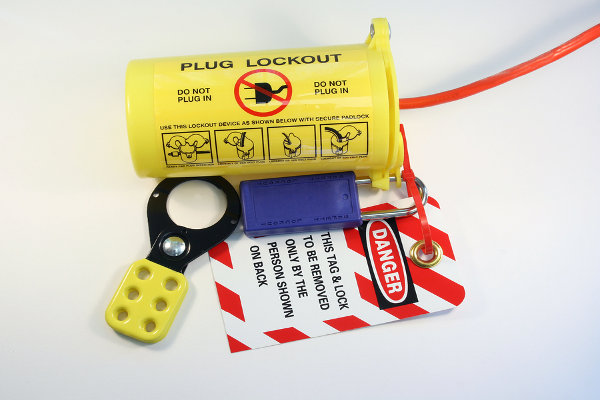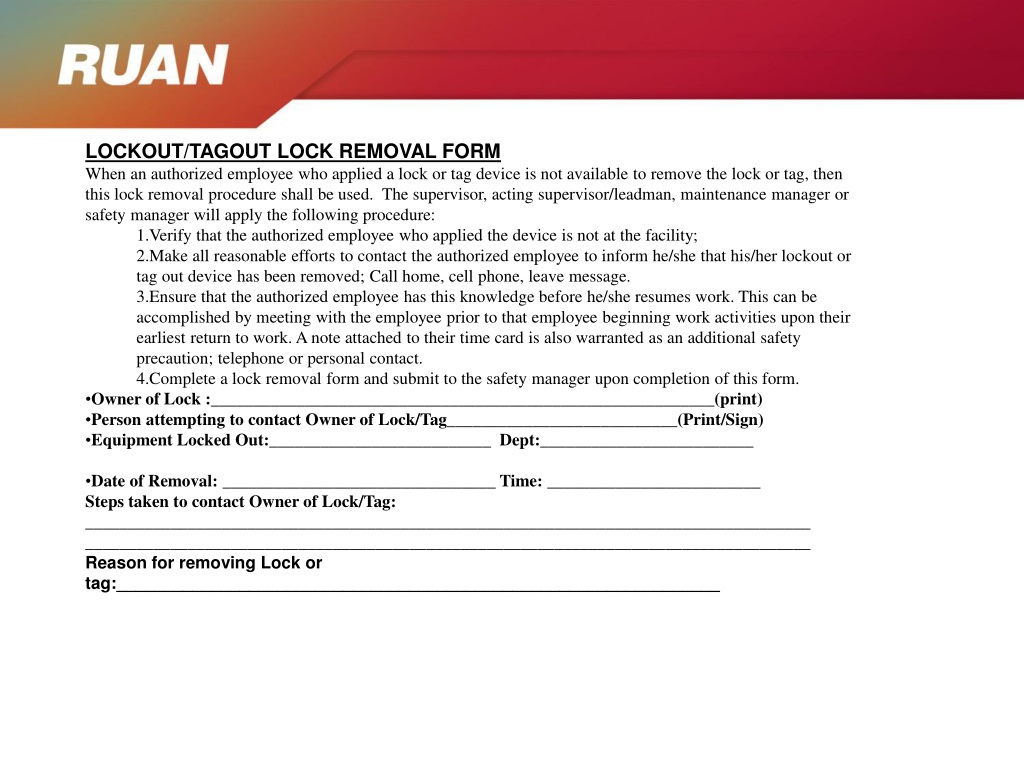
For maintenance teams, a single overlooked lock can turn routine servicing into a catastrophic incident. The lockout tagout (LOTO) lock removal form isn’t just paperwork—it’s the final checkpoint in a life-saving process. When machines stay de-energized during service, workers stay safe. But releasing a lock without proper verification risks serious injury. That’s where the lock removal form comes in: a documented, accountable method for restoring power only when it’s truly safe to do so.
Despite its critical role, many organizations treat the form as a box-ticking exercise. The reality? A poorly executed or skipped removal process undermines the entire LOTO program. This guide breaks down the purpose, components, and real-world application of the lockout tagout lock removal form—so you can strengthen compliance, reduce risk, and build a culture of accountability.
Why the Lock Removal Form Is Non-Negotiable
Lockout tagout procedures begin with locking and tagging energy sources. But safety doesn’t end there. The removal phase is equally high-risk. Machines can store residual energy—hydraulic pressure, gravity, or electrical charge—that may not be obvious. Re-energizing before work is complete leads to crushing, electrocution, or amputation.
The lock removal form formalizes the verification process. It ensures that:
- All servicing tasks are confirmed complete
- Tools and materials are removed from equipment
- Workers are clear of the machinery
- Only authorized personnel approve restart
Without it, there’s no audit trail. No proof that checks were made. No way to trace responsibility if something goes wrong. In OSHA audits, missing or incomplete forms are red flags—often leading to citations.
Real-World Consequence: A technician at a Midwest plant re-energized a conveyor after noticing a lock had been removed. He didn’t know the mechanic inside the line hadn’t finished. The result: a fractured leg and a $98,000 OSHA fine. A completed removal form, requiring sign-off from the mechanic, would have prevented it.
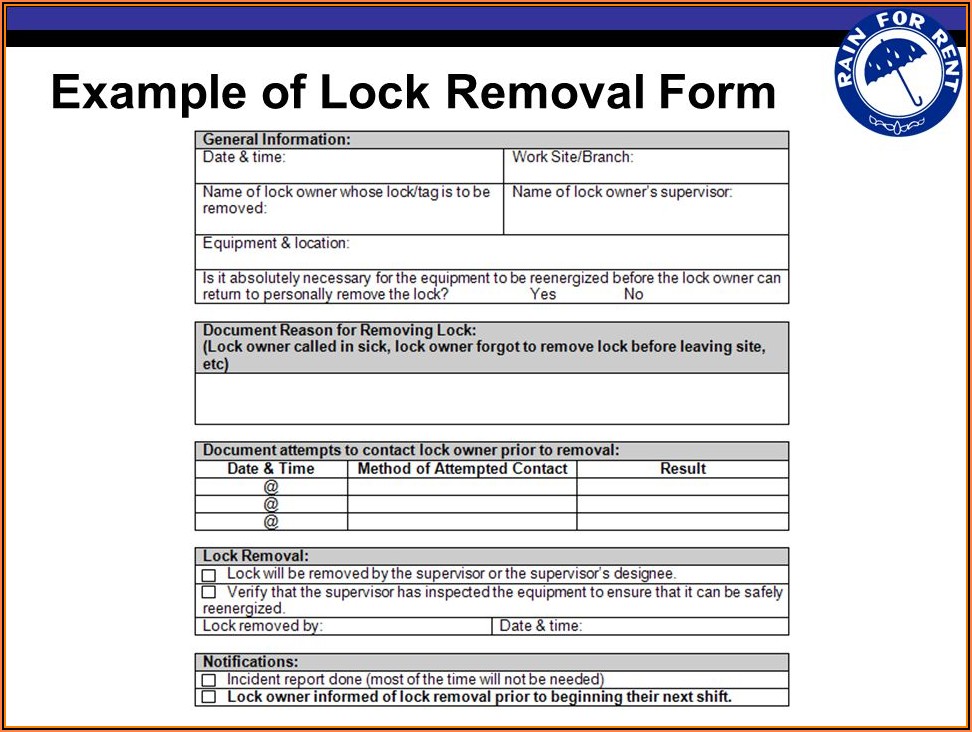
Key Elements of an Effective Lock Removal Form
A generic form won’t cut it. To be effective, a lock removal form must be specific, traceable, and enforceable. Here are the essential components:
#### 1. Lock Identification Each lock must be uniquely identified—by number, color, or assigned employee. The form should list which locks are being removed, not just the equipment.
Example: Lock #L224 (blue, assigned to J. Rivera) on Hydraulic Press 3.
#### 2. Authorized Personnel Sign-Off The worker who applied the lock must sign for its removal. If they can’t (e.g., shift change), a documented handover process is required, including verification by the relieving employee.
#### 3. Verification Checklist Include a short checklist confirming:
- Work is complete
- Guards are reinstalled
- Tools are removed
- Area is clear
- All team members are accounted for
#### 4. Supervisor Approval For high-risk systems (e.g., boilers, presses), require a second-level approval. This adds a layer of oversight and reduces solo decision-making.
#### 5. Date, Time, and Equipment ID Tie the form to a specific machine, date, and time. This supports incident investigations and compliance reviews.
#### 6. Reason for Removal Was this routine servicing? Emergency repair? Modification? Documenting the reason helps track trends and improve future planning.
When and How to Use the Form: A Practical Workflow
The removal form isn’t used in isolation. It’s part of a structured sequence. Here’s how it fits into a typical LOTO cycle:
- Preparation – Identify energy sources and required locks.
- Shutdown – Turn off the machine using established procedures.
- Isolation – Apply locks and tags to all energy points.
- Verification – Confirm zero energy (test, not assume).
- Maintenance – Perform the required work.
- Clear Area – Ensure all tools, personnel, and obstructions are removed.
- Complete Removal Form – Verify each item and sign off.
- Remove Locks – Only after the form is approved.
- Restart – Energize under controlled conditions.
Critical Rule: The person removing the lock must be the same one who applied it—unless under an approved shift交接 process.
Use Case: A maintenance team replaces a motor on a packaging line. After finishing, the lead mechanic walks through the removal checklist: guards reinstalled, no tools left inside, coworkers clear. He fills out the removal form, signs it, and notifies the supervisor. The supervisor verifies the area and co-signs. Only then are locks removed and power restored.
Common Mistakes That Undermine the Process
Even organizations with strong LOTO programs make errors during lock removal. These often stem from fatigue, time pressure, or cultural complacency.
Mistake 1: Skipping the Form for “Quick” Repairs “Just five minutes—no need to fill out a form.” This mindset is dangerous. Most accidents happen during short, unplanned interventions.
Mistake 2: Letting Someone Else Remove Your Lock Unless a formal handover exists (e.g., documented shift change with verification), this violates OSHA standards.
Mistake 3: Using Blank or Generic Forms A form without machine details, lock IDs, or checklists offers no protection. It’s just paper.
Mistake 4: Incomplete Sign-Offs Missing supervisor approval or dual verification on complex systems weakens accountability.
Mistake 5: Storing Forms in Hard-to-Access Locations If the form isn’t kept with the machine log or LOTO record, it’s useless for audits or investigations.
Pro Tip: Conduct quarterly audits of completed forms. Look for patterns—missing signatures, vague descriptions, or repeated errors from specific teams. Use findings to retrain, not punish.
Digital vs. Paper: Choosing the Right Format
While paper forms are still common, digital lock removal systems are gaining traction. Here’s how they compare:
| Feature | Paper Forms | Digital Systems |
|---|---|---|
| Real-time tracking | No | Yes |
| Audit trail | Manual filing | Automated logs |
| Access control | Low | High (role-based) |
| Integration with LOTO software | None | Full |
| Risk of loss | High | Low |
| Speed of approval | Slow (physical review) | Instant (notifications) |
Best Use Cases:
- Paper: Small facilities, low-complexity equipment, limited tech access
- Digital: Large plants, multi-shift operations, regulated industries (e.g., pharma, food processing)
Real Example: A food production facility switched to a tablet-based removal form system. Maintenance techs now scan QR codes on machines, complete digital checklists, and get instant supervisor approval via mobile app. Incident reporting dropped 40% in six months—largely due to fewer skipped steps.
5 Lockout Tagout Lock Removal Form Templates and Tools
Not all forms are created equal. These options provide structure without rigidity—ideal for customization:
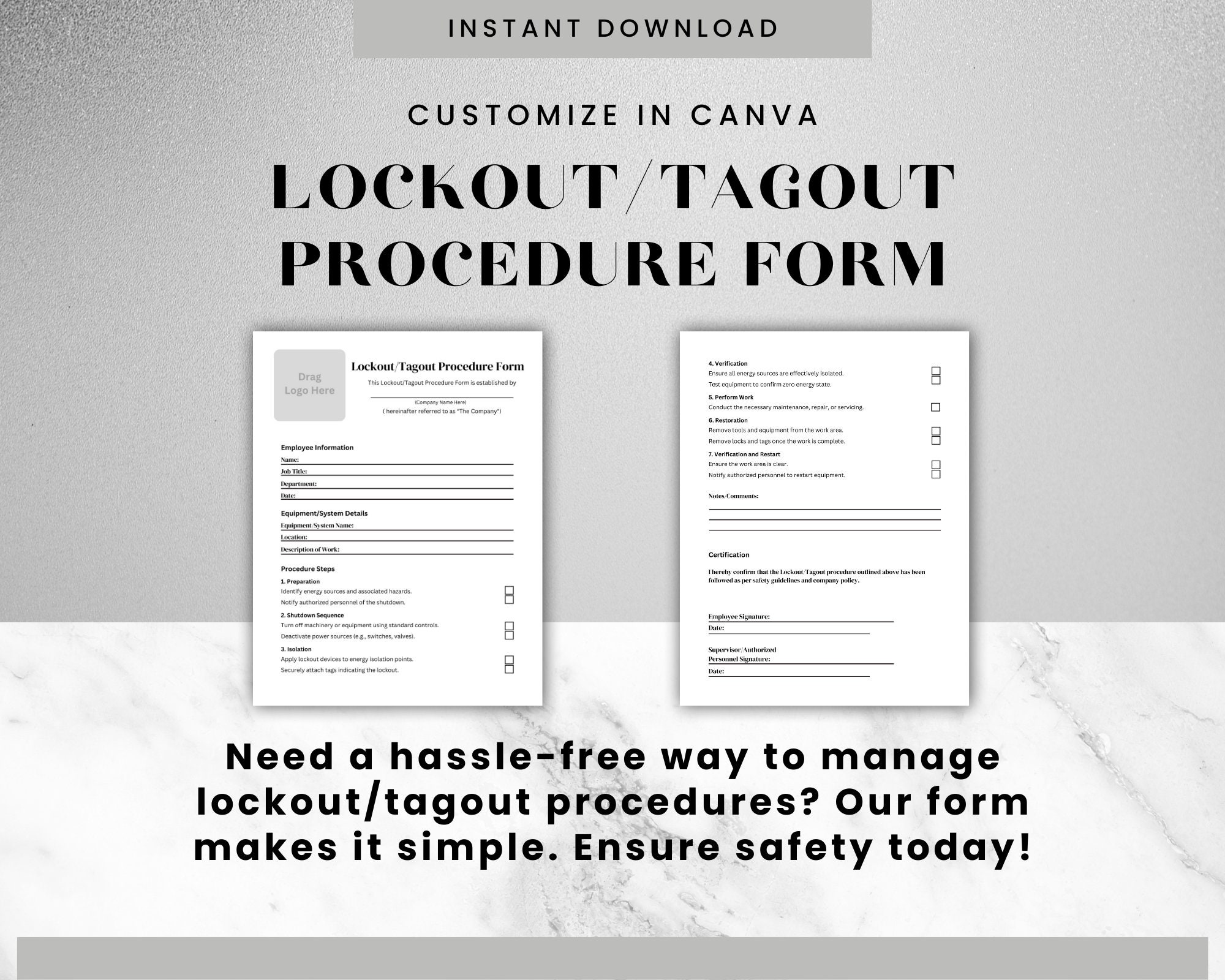
- OSHA-Compliant PDF Template (Free)
- - Pre-built fields for lock ID, employee name, machine, and verification
- - Printable and fillable
- - Best for small to mid-sized operations
- Creative Safety Supply Digital Form Builder
- - Drag-and-drop form creator
- - Cloud storage and audit trails
- - Integrates with tag printers and lock stations
- EHS Insight LOTO Module
- - Full digital lockout management
- - Automated reminders for lock removal
- - Mobile access and real-time reporting
- Lockout Tagout Pro (Mobile App)
- - Offline form completion
- - Photo verification feature
- - Exportable for OSHA audits
- Custom In-House Template (Excel or Google Forms)
- - Tailored to specific machinery and workflows
- - Requires internal validation
- - Flexible but needs strict version control
Tip: Whichever tool you choose, ensure it includes mandatory fields, can’t be altered after submission, and is easily retrievable for audits.
Strengthening Compliance
with Daily Habits
A form is only as strong as the culture behind it. High-performing safety cultures treat the lock removal form as a ritual—not a burden.
- Start each shift with a LOTO review – Briefly walk through active locks and upcoming removals.
- Post forms near equipment – Visibility increases accountability.
- Reward compliance, not speed – Recognize teams who follow procedure, even under pressure.
- Train with real scenarios – Simulate lock removal during drills, including miscommunication and handover cases.
One automotive supplier reduced LOTO deviations by 70% simply by posting weekly removal form audits in the break room. Peer accountability did more than top-down enforcement.
Final Step: Make It Part of Your Safety DNA
The lockout tagout lock removal form is more than a compliance document—it’s a promise. A promise that no machine restarts until every worker is safe, every tool is out, and every check is verified.
Don’t treat it as an afterthought. Design it carefully. Use it consistently. Audit it regularly. And make sure every employee understands that signing that form isn’t a formality—it’s a responsibility.
Start today: pull your current removal form, review it against this guide, and fix one gap. Whether it’s adding a checklist, requiring dual sign-off, or switching to digital—take one step toward a safer, more accountable operation.
Frequently Asked Questions
What is a lockout tagout lock removal form? It’s a documented procedure used to verify that all safety checks are complete before removing a lock and re-energizing equipment.
Who can sign a lock removal form? Only the authorized employee who applied the lock, unless a formal handover process with verification is in place.
Is a removal form required by OSHA? OSHA doesn’t mandate a specific form, but it requires verification that lockout procedures are followed—which a removal form directly supports.
Can we use digital forms for lock removal? Yes—digital forms with secure sign-offs, audit trails, and accessibility are fully compliant and often more effective.
What happens if a lock is removed without a form? It violates LOTO standards, increases injury risk, and can result in OSHA citations and fines.
Should every lock have a removal form? For high-risk or complex systems, yes. For simple, single-lock scenarios, a checklist may suffice—but documentation is always best practice.
How long should removal forms be kept? Retain them for at least one year, or longer if required by internal policy or industry regulations.
FAQ
What should you look for in Lockout Tagout Lock Removal Form Essentials? Focus on relevance, practical value, and how well the solution matches real user intent.
Is Lockout Tagout Lock Removal Form Essentials suitable for beginners? That depends on the workflow, but a clear step-by-step approach usually makes it easier to start.
How do you compare options around Lockout Tagout Lock Removal Form Essentials? Compare features, trust signals, limitations, pricing, and ease of implementation.
What mistakes should you avoid? Avoid generic choices, weak validation, and decisions based only on marketing claims.
What is the next best step? Shortlist the most relevant options, validate them quickly, and refine from real-world results.